


Business: business@xtoolonline.com
Social Media Cooperation: Media@xtoolonline.com
Support: support@xtoolonline.com

If you run a tire or general repair shop, you may have faced this familiar issue. You purchase a TPMS tool for sensor replacements, only to find it supports just one sensor brand. As you service more vehicles, you might need extra tools for different sensors, leaving you with underused equipment and occasional coverage gaps.
Many shop owners discover this industry detail after buying hardware. TPMS programming tends to be brand-linked, so few tools can program every blank sensor. This limitation mostly applies to programming. Other TPMS tasks including activation, diagnostics and relearn typically work across most OEM and aftermarket sensors. This guide explains these TPMS service steps and outlines a practical setup for your shop’s workflow.
Many technicians mix up sensor programming and vehicle relearn. These are not the same process. A tech might run through every standard TPMS service step carefully, yet still see the TPMS warning light stay on the dash. It is easy to blame the sensor right away and reach out to the sensor supplier. Support teams often start by asking one simple question: was the sensor programmed before the vehicle relearn took place?
We can break down these four separate tasks below.
loads a communication protocol and unique sensor ID onto a blank universal sensor. This lets the sensor talk to a specific vehicle. Compatibility rules mostly apply to this step. Tools generally cannot cross over between these sensor lines.
sends a low-frequency signal to wake the sensor. It pulls data including the sensor ID, tire pressure, temperature and battery condition. Most mainstream TPMS tools can activate around 98% of sensors available. This covers factory OE sensors and pre-programmed sensors from other brands. Compatibility restrictions rarely come into play here.
uses the OBD port to read and clear TPMS related trouble codes. This is basic OBD functionality. Sensor brand does not affect this process.
saves sensor IDs into the vehicle ECU. The ECU then matches each ID to its tire position. A relearn is usually needed when a new sensor ID is added, or after tire rotation. The ECU stores these IDs to identify each wheel and show accurate position data.
One practical point to keep in mind. When shopping for a TPMS reprogramming tool, programming function is where compatibility limits usually show up. Activation, diagnostics and relearn work across most sensor types.

Shops can get solid results by pairing an open programming tool with a universal programmable sensor that works for most vehicles they service.
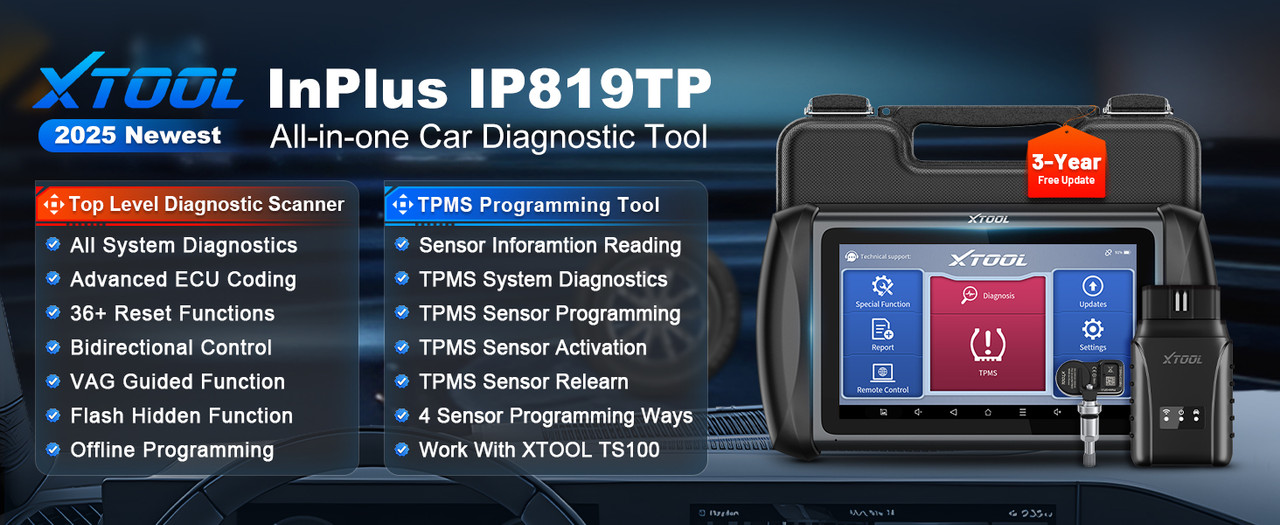
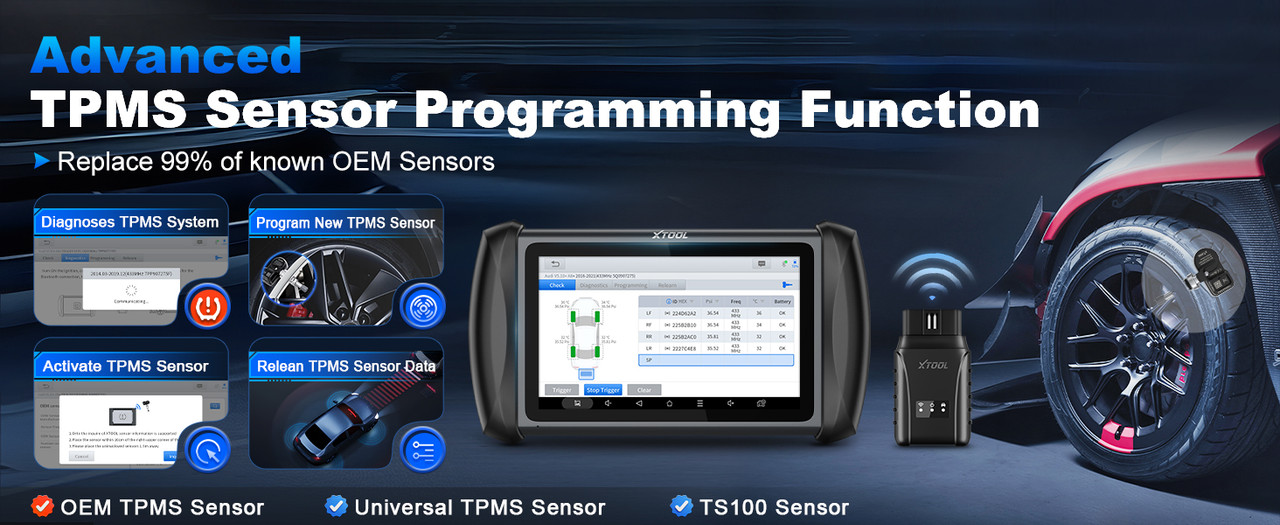
The IP819TP has four programming modes: Auto Create, Copy by Input, Copy by Activation, and Copy by OBD. These cover most jobs, from programming new blank sensors to cloning existing IDs and skipping a relearn. It supports open programming for TS100 sensors. Activation, diagnostics and relearn functions work with roughly 98% of TPMS sensors on the market. Three relearn methods are available: Stationary Relearn, Automatic Relearn, and OBD Relearn.
This is not only a TPMS tool. It runs Android 10 on a 7-inch touchscreen, with a quad-core 1.5GHz processor, 2GB RAM and 32GB storage. It supports over 10,000 vehicle models from 1996 to 2022. It includes more than 39 special service functions such as throttle matching, ABS bleeding, EPB/SAS reset and DPF regeneration.
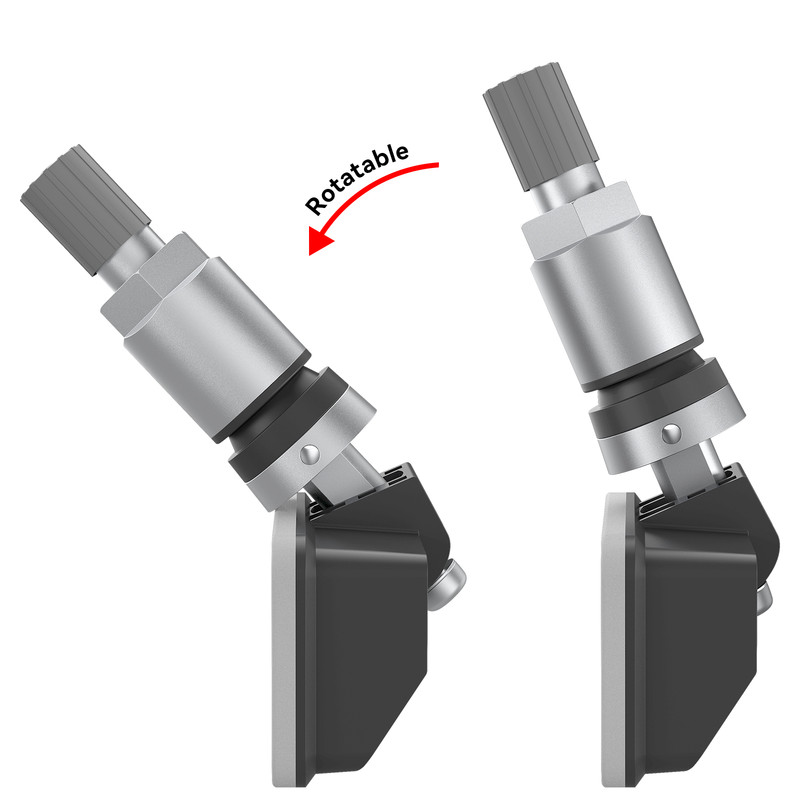
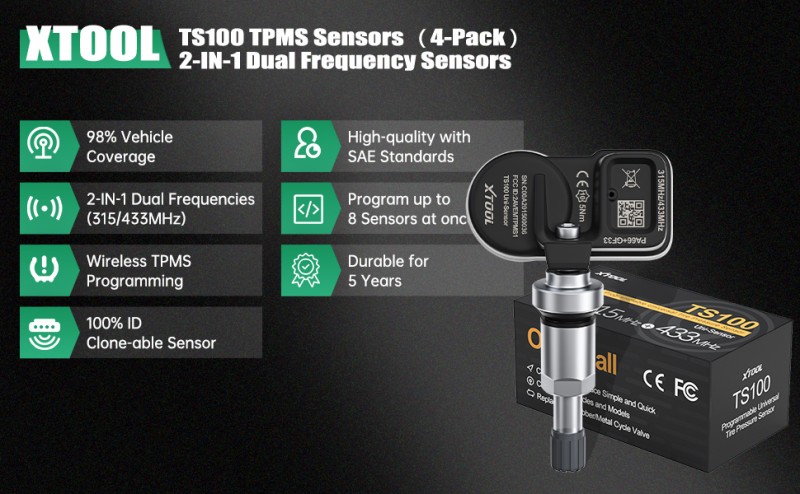
TS100 Pro works with nearly 99% of TPMS-equipped vehicles. It combines 315MHz and 433MHz frequencies in one unit. The sensor can be reprogrammed many times, with an adjustable mounting angle from 10° to 45°.
You only need one sensor SKU instead of stocking hundreds of vehicle-specific OE sensors. Program it to match any vehicle entering your bay. The sensor offers over five years of battery life, works from -40°C to 105°C and carries an IP67 waterproof rating. These specs hold up well during daily shop installations.
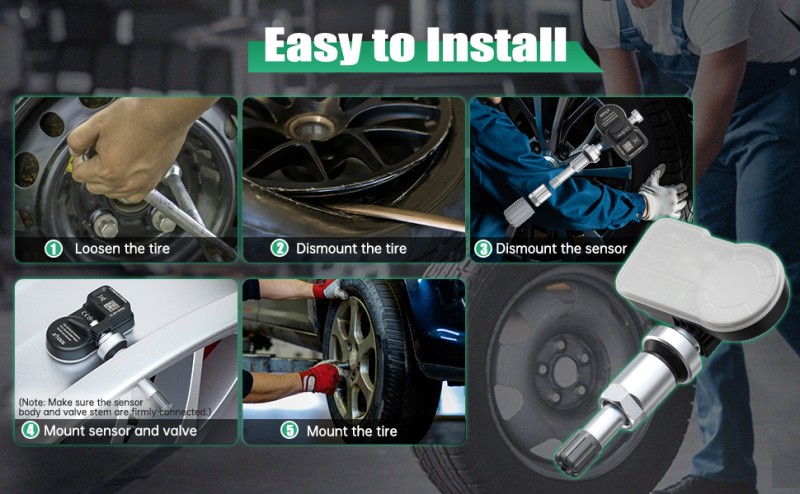
The XTOOL IP819TP paired with TS100 Pro sensors handles many common TPMS tasks in the shop. Below are three typical service scenarios technicians encounter.
1.Take a blank TS100 Pro sensor from stock.
2.Open the IP819TP and select the vehicle’s make, model and year.
3.Use Auto Create to load the correct protocol to the new sensor.
4.Fit the sensor, inflate the tire, then run an OBD Relearn on the tablet to save the new sensor ID to the vehicle ECU.
Use this method when the original sensor still transmits an ID but has physical damage.
1.Activate the old sensor with the IP819TP and capture its ID.
2.Place a blank TS100 Pro sensor near the tool. Select Copy by Activation or Copy by Input.
3.The tool writes the original OEM ID onto the new sensor.
4.Install the sensor. A vehicle relearn is usually not needed. This saves technician time and gets the customer back on the road sooner.
1.Rotate the tires on the vehicle.
2.Run a Stationary or OBD Relearn using the IP819TP.
3.The ECU refreshes wheel position data, so the dash pressure display matches each physical tire.
Many TPMS headaches stem from mixing up brand-restricted programming with widely supported activation and diagnostic functions. An open multi-mode TPMS tablet, used alongside universal programmable sensors, can help your shop service most vehicles. This approach may reduce inventory complexity and keep hardware costs reasonable.
If you want to make your shop’s TPMS process more efficient, you can look into the XTOOL IP819TP Diagnostic Tablet and TS100 Pro Sensors. This combination offers a flexible and budget-friendly TPMS solution for your team.
Business: business@xtoolonline.com
Social Media Cooperation: Media@xtoolonline.com
Support: support@xtoolonline.com